Skip to content

KNOXENTRY SOLUTIONS

Keep Building Keys
On-Site.

Control Who Can Access Them.

Secure designated building keys at each property and give authorized employees and vendors convenient mobile access when needed. Manage permissions from one platform and see who opened the key box and when, without continually issuing and collecting key copies.

KnoxEntry_Commercial-Properties_v3

FEWER KEYS TO ISSUE, TRACK, AND COLLECT

When an employee leaves or a vendor contract ends, collecting building keys can be time-consuming. Missing keys may also lead to costly rekeying or lock replacements.

KnoxEntry helps reduce the number of keys in circulation by keeping designated keys secured on-site, while giving authorized personnel convenient mobile access when needed.

Commercial_Building

A SIMPLER WAY TO MANAGE BUILDING KEY ACCESS

KnoxEntry combines secure on-site key storage, mobile credentials, and centralized access management to simplify how your team controls building key access.
1

SECURE THE KEYS.

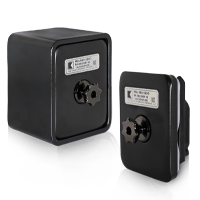
SmartLid-SmartBox

Store designated building keys in
a KnoxEntry key box at the property.

2

MANAGE PERMISSIONS

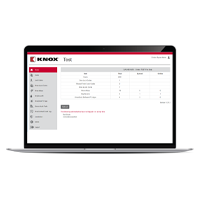
KnoxConnect Laptop

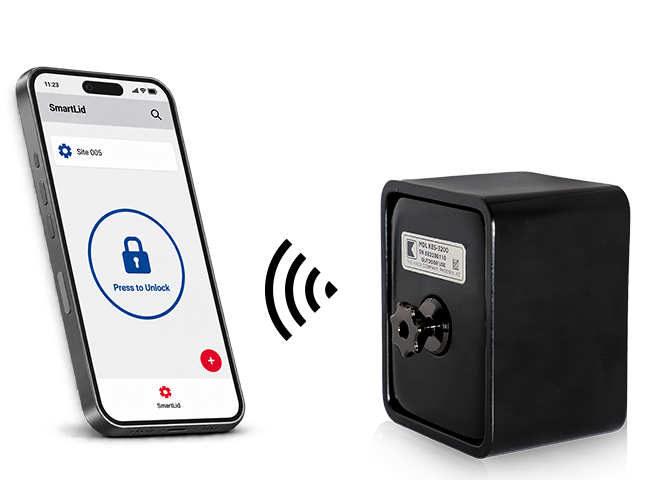
Grant, update, or revoke mobile access permissions through KnoxConnect.
Authorized users unlock the key box using
the KnoxEntry App.

3

REVIEW ACTIVITY

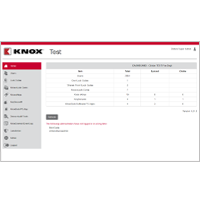
KnoxConnect Dashboard

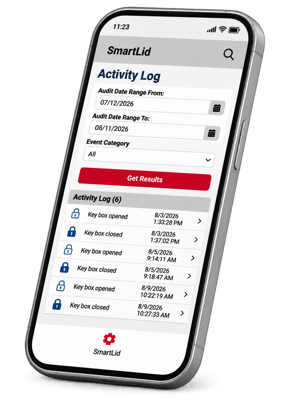
See who opened the key box and when,
with timestamped activity records
available in KnoxConnect.

BUILT FOR THE WAY COMMERCIAL PROPERTIES OPERATE

From day-to-day maintenance to managing outside service providers, KnoxEntry makes it easier to control access to designated building keys.

Maintenance & Building Operations
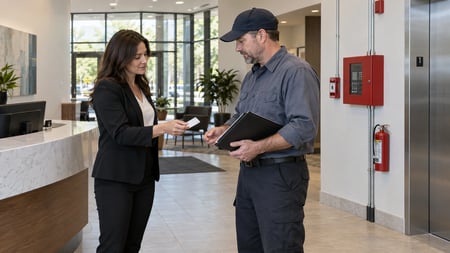
Maintenance-Personnel

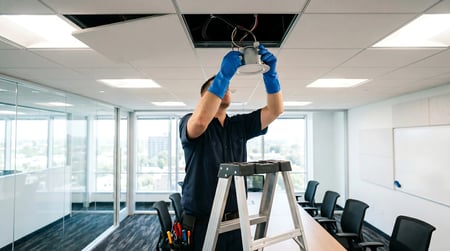
Give authorized maintenance personnel access to the keys they need without distributing additional copies.

Vendor & Contractor Access

Service-Contractors

Manage mobile access permissions as service providers change, without having to collect and reissue key box credentials.

Multi-Property Management

Commercial-Property-Operations

Oversee authorized access and review key-box activity across multiple properties from one centralized platform.
SEE WHO OPENED
THE KEY BOX AND WHEN

When questions arise about a service visit, KnoxConnect provides a timestamped record of key box activity.

Review who opened the box and when to help verify access events, follow up with vendors, and strengthen accountability across your properties.

KnoxEntry_SmartLid_Activity-Log_phone

WHY ORGANIZATIONS CHOOSE KNOX

50-years-Experience_Icon


Trusted Access Solutions. Built for Long-Term Use.

With more than 50 years of controlled access experience, Knox provides commercial-grade solutions designed to protect critical assets and simplify access management.

Controlled-Access-management

Purpose-Built Security


Durable hardware designed for demanding access environments.

Scalable-Deployment_Icon


Flexible Deployment

Secure keys at new locations or explore compatible retrofit options for existing TRACcess installations.

True-Partner_Icon


A Trusted Partner

Experienced support to help your organization evaluate, implement, and manage its access solution.

COMMON QUESTIONS

Can we use our existing building keys?

Yes, where designated keys can be stored in a secure on-site box.

Can we remove access when someone leaves?

Yes. You can revoke their mobile access in KnoxConnect.

Can we manage access across multiple properties?

Yes. KnoxConnect provides centralized management of users, permissions, and key-box activity across multiple locations.

What does the activity log show?

It shows who opened the key box and when.


LET'S REVIEW YOUR PROPERTY ACCESS NEEDS

Tell us how your team currently manages building keys. A Knox specialist can help you identify where secure on-site key storage and mobile access could simplify operations across your properties.

Whether you’re looking to reduce key copies, improve vendor access, or manage access across multiple buildings, we’ll help you explore the right approach.